What We Built
When you compose a storyboard scene in Trail mode, you’re making a deliberate narrative choice: show the recent history of each platform — the snail-trail leading up to a moment — rather than its entire route. “The minute before contact” reads very differently as a growing tail than as a fully-drawn line that was there from the start. Spec #258 taught the main application to capture that Full-vs-Trail choice per scene and honour it on playback. But the exported briefing — the standalone, air-gapped SPA you hand to someone who was never near the analysis environment — quietly ignored it, always drawing each platform’s complete route. A scene you framed to build toward a moment played back flat, its emphasis silently discarded.
This change makes the briefing renderer honour the display mode that was captured with the scene. In Trail mode each track now grows from its start up to the current playback time, trailing the moving position dot. In Full mode — and in legacy briefings exported before display mode was a thing — the whole track shows exactly as it always has. The author’s intent now survives the trip from the app preview into the shareable, offline briefing.
How It Fits
The briefing renderer is the end of the storyboarding pipeline (epic E13): the point where a composed, scoped storyboard becomes a self-contained file someone can play back offline, with no service and no network behind it. Everything the fix needs was already there — the per-scene display mode and the per-vertex track timing are carried into the exported briefing, and the moving position dot already depends on that same timing. This was never a data-capture or export gap; it was the renderer not reading what it had been handed. The fix stays entirely on the display side: one front-end component (BriefingMap.tsx) plus a new trackDisplay.ts helper, no schema change, no change to how scenes are captured, scoped, or exported.
Key Decisions
-
Reuse the main app’s exact trail-slicing helper rather than writing a renderer-specific copy. The briefing calls the same
sliceTrackToTimefrom@debrief/utilsthat the in-app preview uses, so the trail in the exported file is identical in shape to what the author saw while composing — visual parity by construction, with no second implementation to drift out of step. It’s an internal workspace package the renderer already pulls in transitively, so this is reuse, not a new third-party surface. -
Grow the track as a stable-keyed map polyline whose points update in place each frame, mirroring how the moving dot already updates, rather than rebuilding the map layer on every tick. An earlier oscillation bug (#264) came from tearing the layer down too eagerly each frame; updating positions in place keeps the growth smooth and steers well clear of that failure mode. Non-temporal context — region outlines, annotations, reference points — stays on the existing layer, untouched.
-
One predicate decides everything: a scene is Trail only if its display mode is exactly
trail; anything else shows the full track. Full, absent (legacy), and any unrecognised value all fall through to “show the whole route” — the safe, non-destructive default. That single rule is also why every briefing exported before #258 keeps playing back exactly as it does today. -
A track that lacks usable per-vertex timestamps falls back to its full line — never blank, never an error — even in a Trail scene. This reuses the same validity gate that already governs the moving dot, so a track either participates in both time-driven behaviours or neither. No half-states, no confusing empty geometry where context is expected.
Screenshots
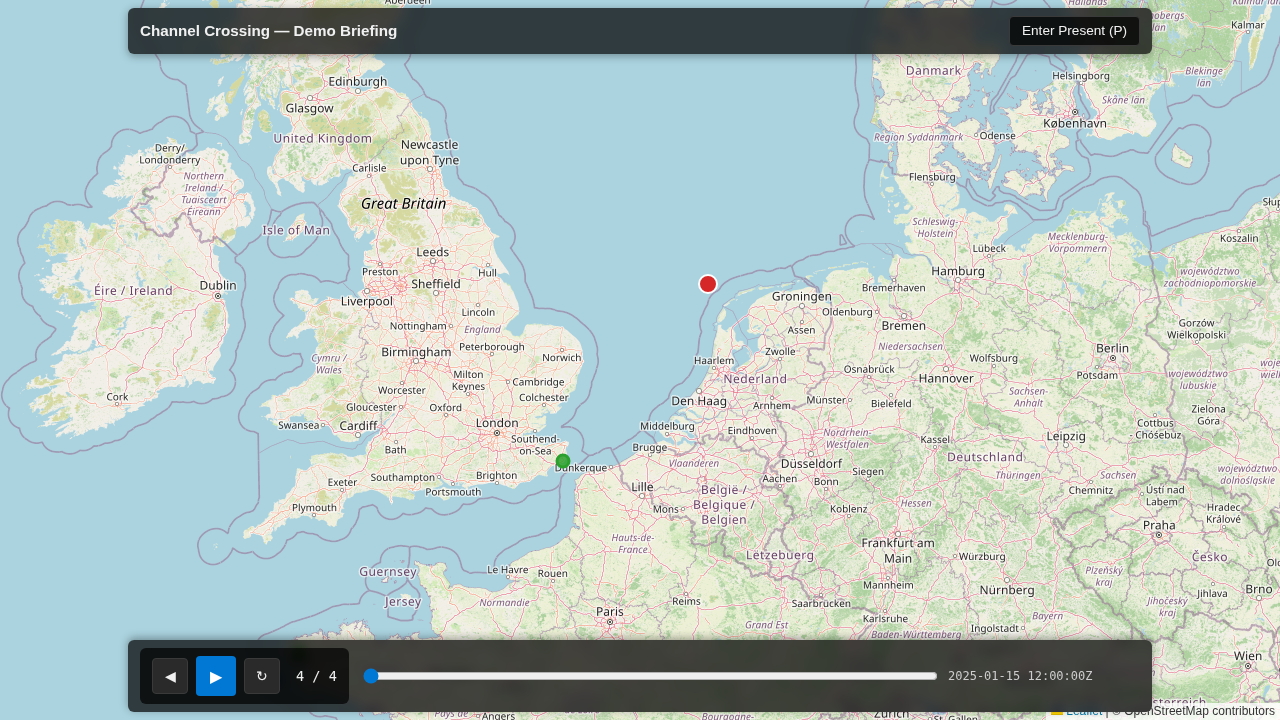
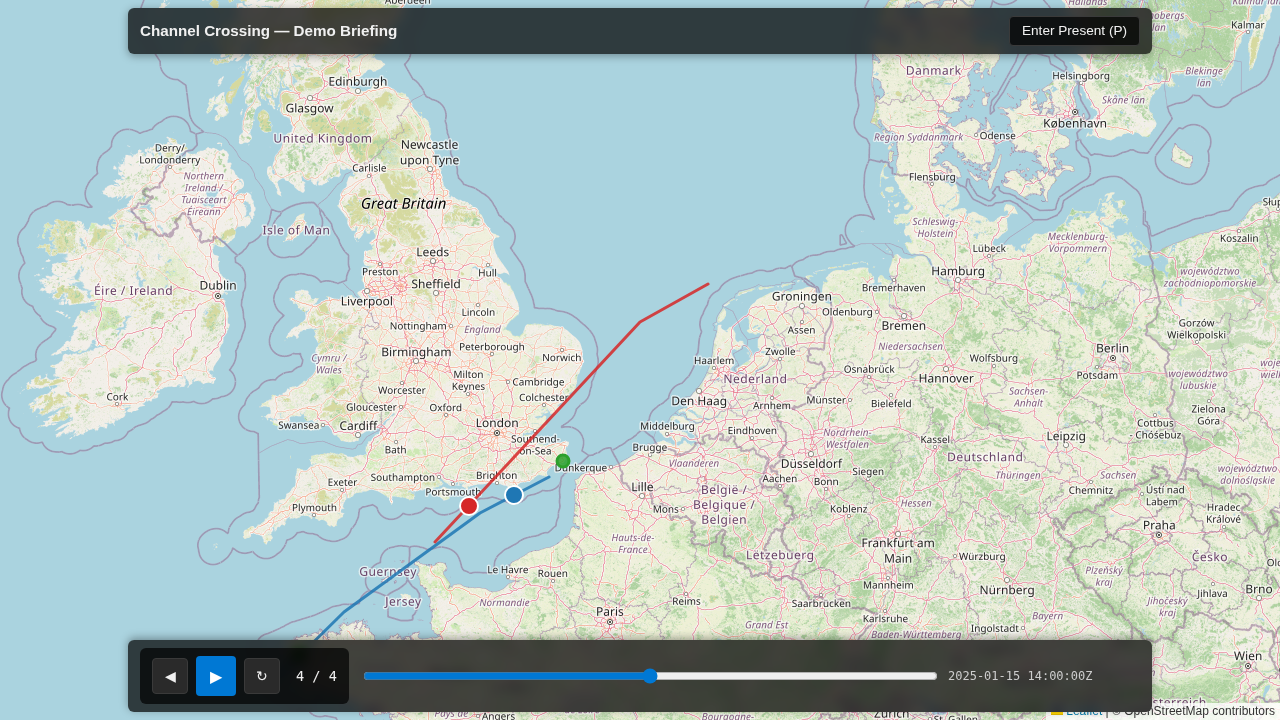
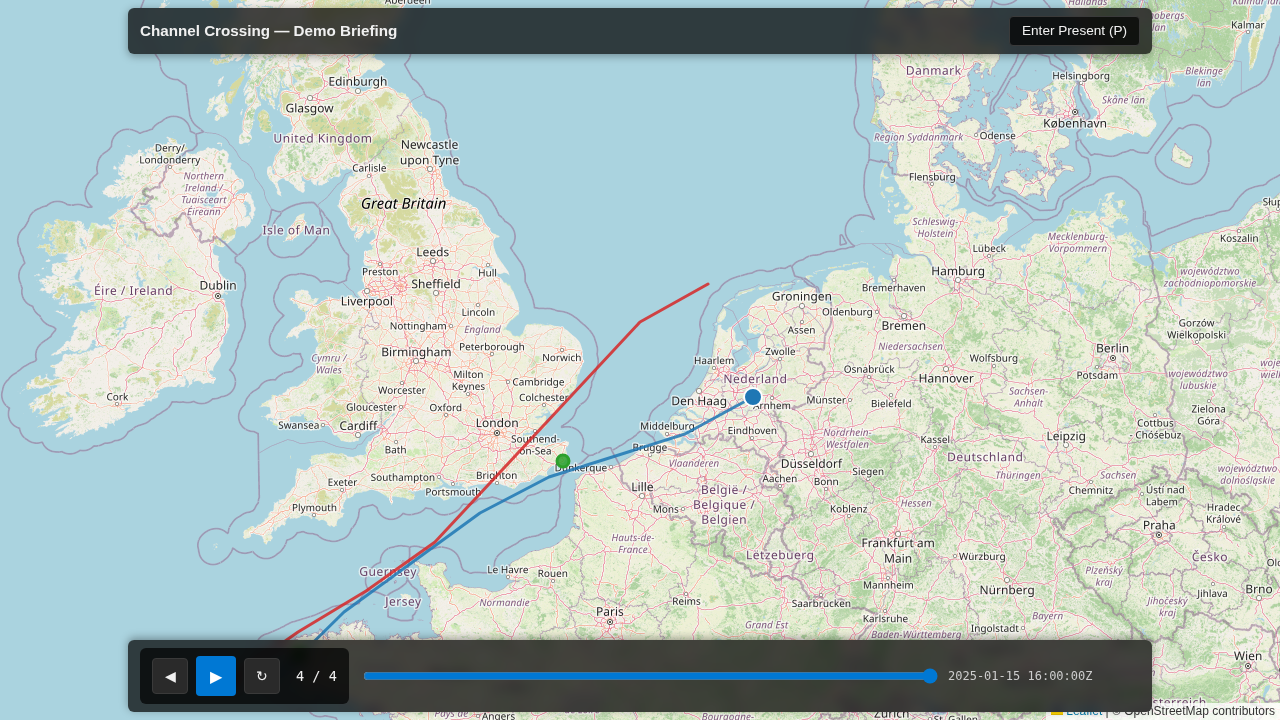
The trail grows as playback time advances. Here’s the same 8-point Alpha track at the window start, midway through playback, and at the end:
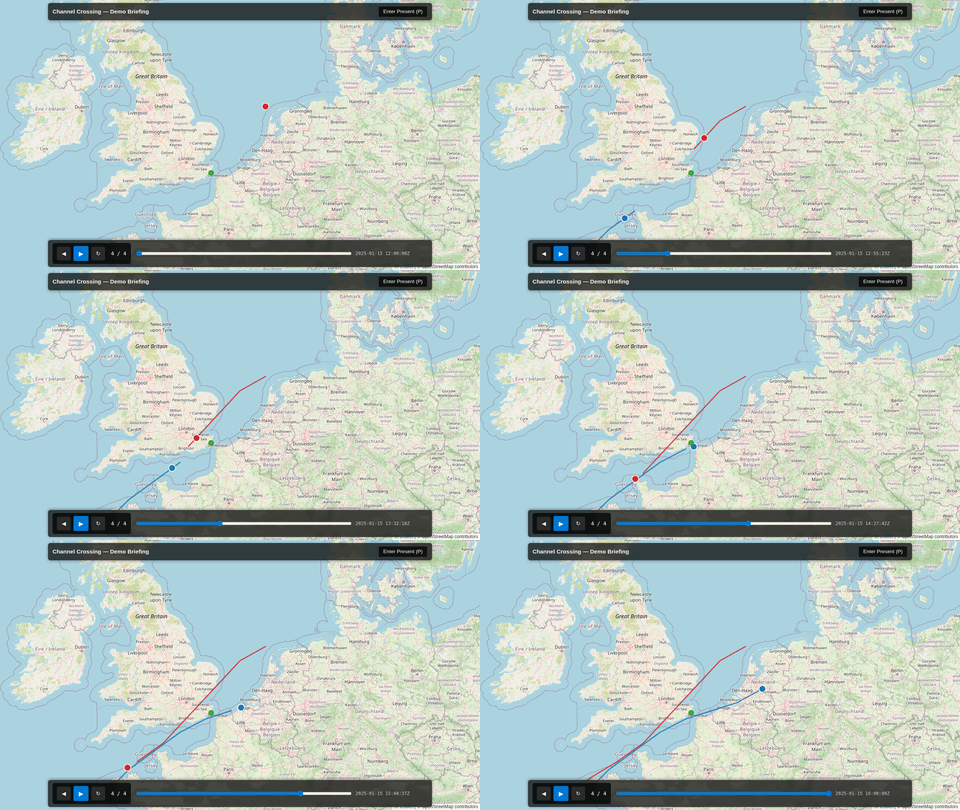
Scrubbing the playback slider forward and back shows the trail growing and shrinking in real time:
By the Numbers
| Metric | Value |
|---|---|
| Feature tests passing | 24 (20 unit + 4 Playwright) |
| Test failures | 0 |
| Trail growth measured | 1 → 5 → 8 vertices (8-point Alpha track) |
| Repo gate | Passing (ruff, eslint, pyright, tsc, pytest 2162, vitest) |
| Components edited | 1 (BriefingMap.tsx) |
| New helper modules | 1 (trackDisplay.ts) |
| New workspace dependencies | 1 (@debrief/utils) |
| Schema changes | None |
The 24-test suite breaks down as 20 unit tests covering the trail-slicing contracts and the mode predicate, and 4 Playwright tests exercising the full playback flow: a growing trail in Trail mode, a constant track in Full mode, legacy scenes without a display mode falling back to full, and a mixed briefing reapplying the right mode per scene.
Lessons Learned
Reusing the main app’s exact sliceTrackToTime helper made visual parity true by construction — there’s no second implementation to drift out of step. The real fix was a reading gap, not a data gap: everything needed (per-scene display_mode, per-vertex timestamps) was already in the exported briefing; the renderer just wasn’t paying attention to it.
Sharing one validity gate between the growing trail and the moving dot keeps them consistent — a track shows both time-driven behaviours or neither, with no confusing empty geometry where context is expected. And a deterministic, hidden per-track vertex-count node made the Playwright growth assertion robust against Leaflet’s polyline simplification: the exact vertex count can vary as Leaflet’s optimisation kicks in, but it strictly grows from start to mid to end, and that monotonic growth is what the test asserts.
What’s Next
This completes the Trail-mode story for both the standalone, air-gapped briefing and the #273 live-Preview tab. Epic E13 (storyboarding end-to-end) is now whole: Trail and Full modes are captured per scene, honoured on playback in the main app, and honoured in exported briefings. A subtle fade on the trail’s tail is possible future polish — not required for correctness, but it could draw the eye even more explicitly to the direction of motion.