What We Built
The Loader Mini-App is now ready. It’s a cross-platform Electron application that turns “I have a data file” into “that data is stored with full provenance” — in under 30 seconds for typical REP files.
Right-click a REP file, select “Open with Debrief Loader”, and a two-step wizard guides you through the process. First, pick your destination STAC store. Then choose to create a new plot or add data to an existing one. Click Load, and the app orchestrates debrief-io for parsing, debrief-stac for storage, and records provenance linking your source file to every feature it produced.
For first-time users without any stores configured, the app guides you through creating a local STAC catalog. No configuration files to edit, no terminal commands — just pick a folder and you’re ready to go.
Screenshots
Store Selection
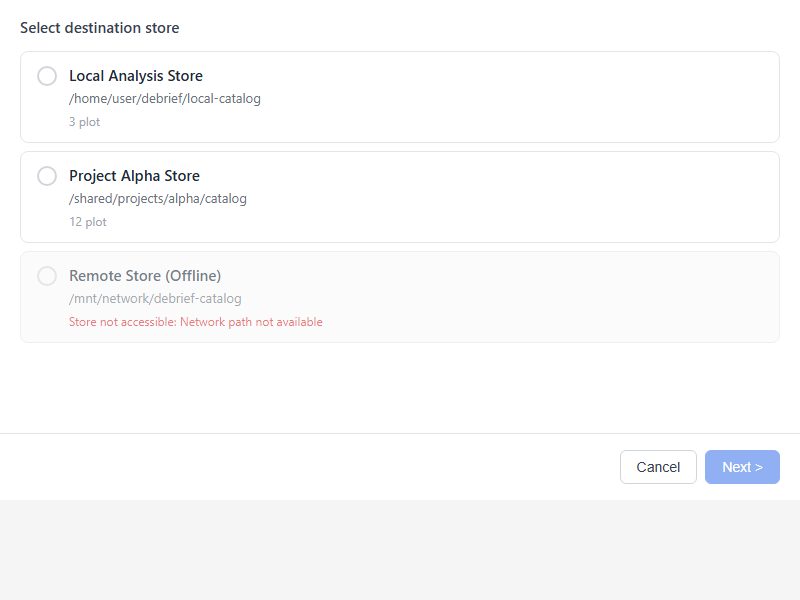
Choose from your configured STAC stores. Each card shows the store path and how many plots it contains.
Plot Configuration
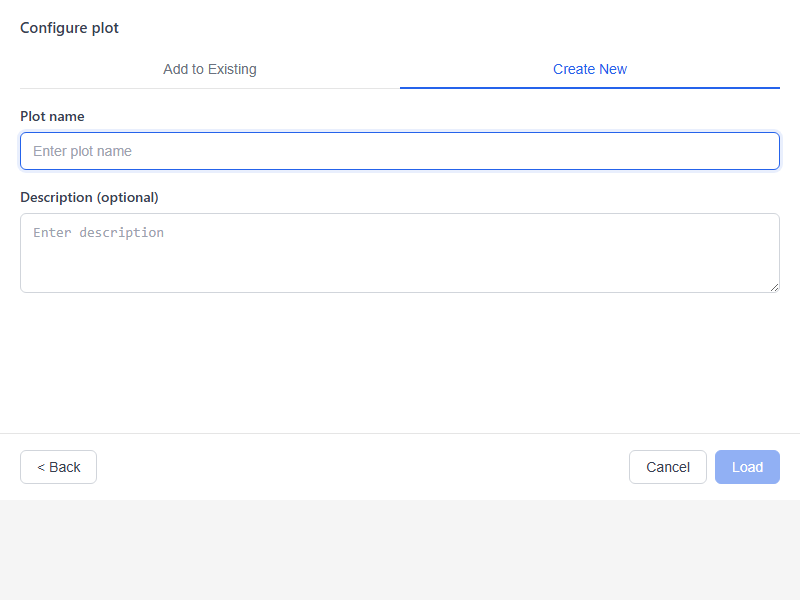
Create a new plot with a name and optional description. The tabbed interface lets you switch to “Add to Existing” if you want to append to an existing plot.
Processing & Success
Clear progress feedback during file parsing and catalog writes.
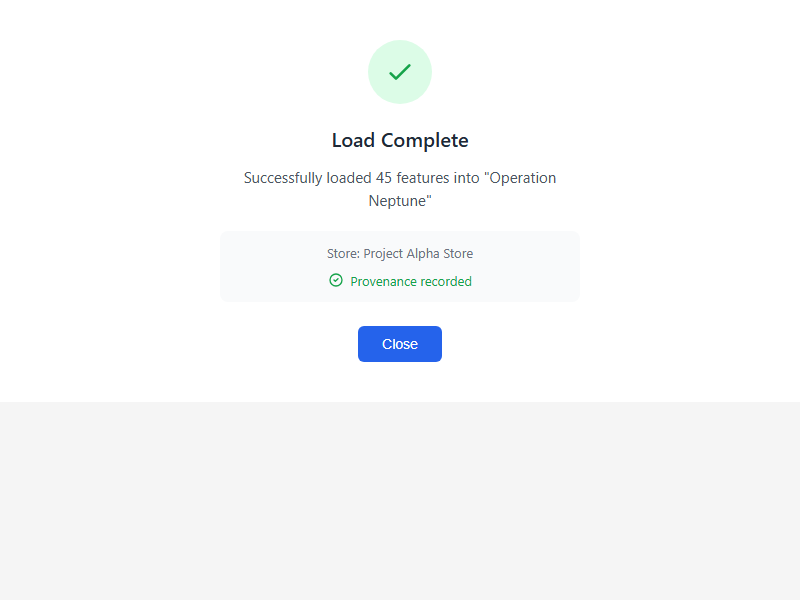
Confirmation with feature count and provenance status.
Technical Highlights
Three services, one flow: The app integrates debrief-config (where are my stores?), debrief-io (parse this file), and debrief-stac (write these features). Communication happens via JSON-RPC over stdio — simple, debuggable, and no network setup required.
I18N from day one: Every user-facing string is externalized via react-i18next. The Constitution mandates internationalization support for NATO interoperability, and retrofitting it later is painful. We got it right the first time.
Storybook for preview: All UI components are documented in Storybook with multiple states — empty stores, full stores, errors, success. Stakeholders can preview the UI before installing anything.
Graceful degradation: If Python services aren’t available, the app displays a clear error message explaining what’s missing and how to resolve it. No silent failures, no cryptic stack traces.
Lessons Learned
stdio is underrated: We initially considered socket-based IPC but JSON-RPC over stdin/stdout is remarkably robust. Process lifecycle is predictable, debugging is trivial (just pipe to a file), and there’s no port conflict headaches.
Wizard beats single-page: We prototyped a single-screen layout with all options visible. It felt overwhelming. The two-step wizard (store → plot) separates concerns and reduces cognitive load. The second step even changes its options based on the selected store.
Test mocking matters: Electron + React + Python services creates a testing challenge. Our solution: mock electronAPI in Vitest tests, mock services in Storybook, and save E2E tests for full integration. Each layer tests what it can control.
What’s Next
Stage 5 brings debrief-calc — context-sensitive analysis tools that operate on the data we’ve just learned to load. Time-range filtering, feature selection, and eventually full track analysis capabilities.
Stage 6 ties it all together with the VS Code extension — the primary workspace where analysts will spend their time. Map visualization, timeline scrubbing, and tool invocation all in one place.
See the implementation Preview components in Storybook Read the spec