What We Built
When you assemble a Storyboard, each time-range Scene claims a window of the exercise — a stretch of [start, end] you want replayed. Most of the time those windows sit end to end: Scene A hands off to Scene B, B to C, and the story walks forward through time. But sometimes two Scenes quietly cover the same stretch — you nudged a window while editing, or duplicated a Scene and forgot to move it, and now the same minutes get replayed twice without you meaning them to. Nothing breaks, so nothing tells you.
This adds a quiet tell. When two time-range Scenes overlap, each offending row in the Storyboard panel grows a small warning that names its partner — “Overlaps with Egress leg” — so the accidental double-cover is visible at a glance instead of waiting to be noticed on playback. It is deliberately a nudge, not a rule. The platform never reorders, merges, rejects, or blocks a thing. If the overlap is intentional — a deliberate re-play to land an emphasis — you dismiss the warning and it stays gone for the session. The aim is to catch authoring drift without putting the platform in the business of policing a legitimate creative choice.
How It Fits
This is a follow-up to #263, which shipped time-range Scenes but left overlap detection to authoring discipline. It is the lightweight safety net that closes that gap — TypeScript-only, frontend-only, no schema change and no service call. Detection lives in one pure, synchronous helper, detectSceneOverlaps() in shared/components/src/storyboard/overlap.ts, consumed verbatim by both the VS Code extension and the web-shell so the two surfaces can’t drift in what they consider an overlap. The warning itself is a new presentational OverlapBadge that reuses the per-row slot pattern already established for the stale indicator, and the whole thing is a read-only derivation over data already in the plot — offline by default, like everything else.
import { detectSceneOverlaps } from '@debrief/components';

// plot = the FeatureCollection; storyboardId = the active Storyboard;
// dismissedPairs = optional Set of dismissed pair keys.
const overlaps = detectSceneOverlaps(plot, storyboardId, dismissedPairs);
// -> ReadonlyMap<sceneId, { sceneId; title }[]>
//    non-overlapping and instant Scenes are simply absent
Each host computes overlaps from the active-Storyboard Scene set it already holds, merges the result into the per-row view-model, and owns its own dismissed-pairs set — apps/vscode/src/views/storyboardPanelView.ts on one side, apps/web-shell/src/StoryboardPanelMount.tsx on the other. The host code only wires data in and renders the result.
Key Decisions
- Strict interior overlap, not touching endpoints. The rule is
aStart < bEnd && bStart < aEndon epoch milliseconds. Scenes that merely meet at an edge — A ends exactly where B starts — are a normal contiguous handoff and produce no warning. Well-formed sequential Storyboards stay completely clean, which is what keeps the signal worth trusting. - Time-range Scenes only. Instant, single-timestamp Scenes are excluded; their timestamp collisions are a separate existing flow, and folding them in here would muddy the meaning of the badge.
- One shared helper, two hosts.
detectSceneOverlaps()is a single pure function inshared/components. Putting the rule in one place — rather than implementing it twice — means the VS Code panel and the web-shell can never disagree about what overlaps. - Dismissal is session-scoped, keyed by the unordered Scene pair, and not persisted. Dismissing clears the warning on both rows; pull the windows apart and re-overlap them and it warns afresh. We deliberately kept this out of plot state — no new persisted field — to hold the feature at the one-to-two-dev-day aid it was scoped to be. A deliberate overlap you re-open in a new session warns again, and that felt like the right default: better to re-confirm intent than to silently carry a stale “I meant this” forever.
- Passive and non-blocking, by design. No reorder, no merge, no rejection. Accidental overlaps are a mistake worth surfacing; intentional ones are a creative decision the platform has no business overruling. The badge respects that line.
Screenshots
The warning is a per-row badge naming the conflicting Scene. Two overlapping Scenes each warn about the other; the non-overlapping range Scene and the instant Scene below stay clean.
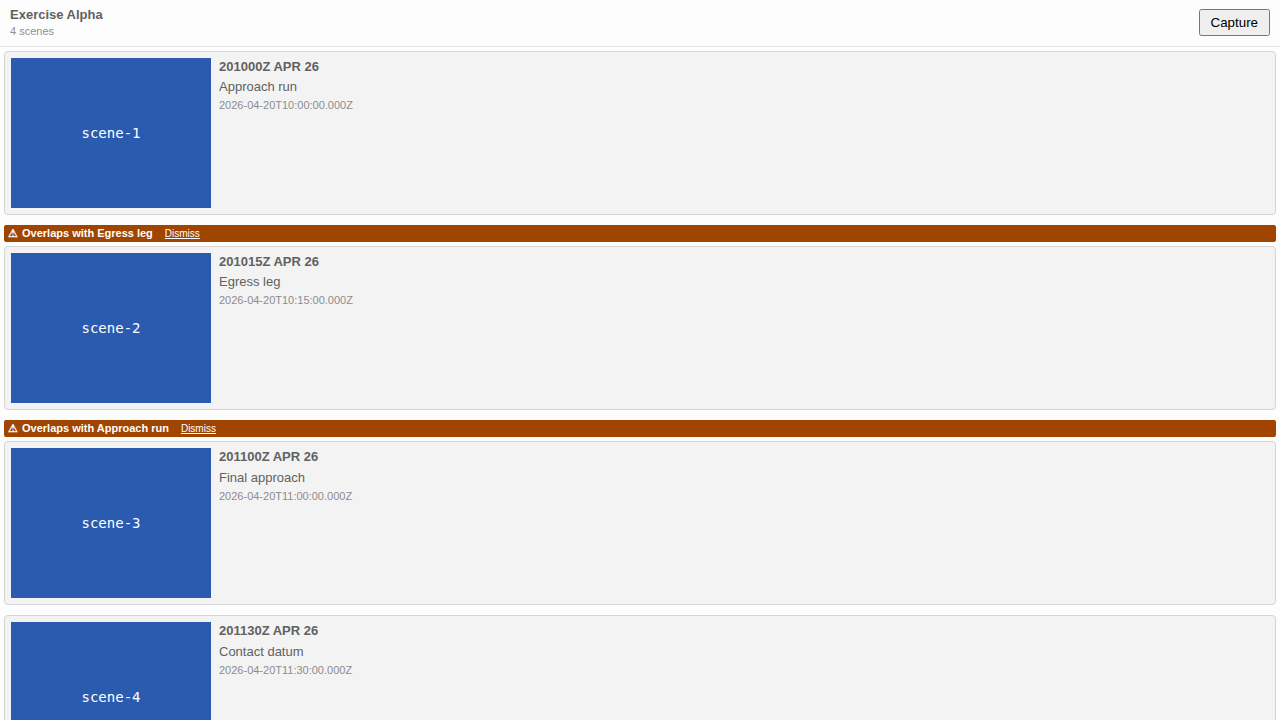 Light theme. “Approach run” (10:00–10:30) and “Egress leg” (10:15–10:45) overlap; each warning names the other. “Final approach” and the instant “Contact datum” stay clean.
The badge inherits the theming of the existing stale-indicator slot, so it lands correctly across all three theme variants without any new colour work.
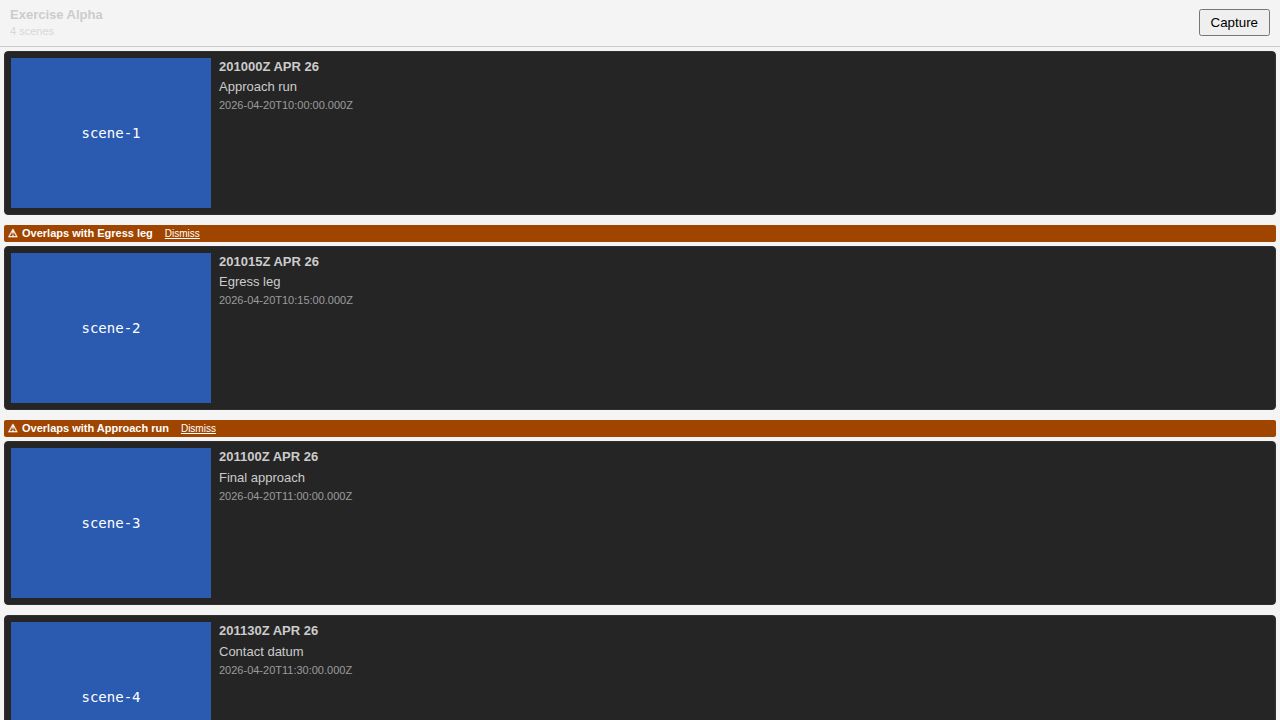 Dark theme.
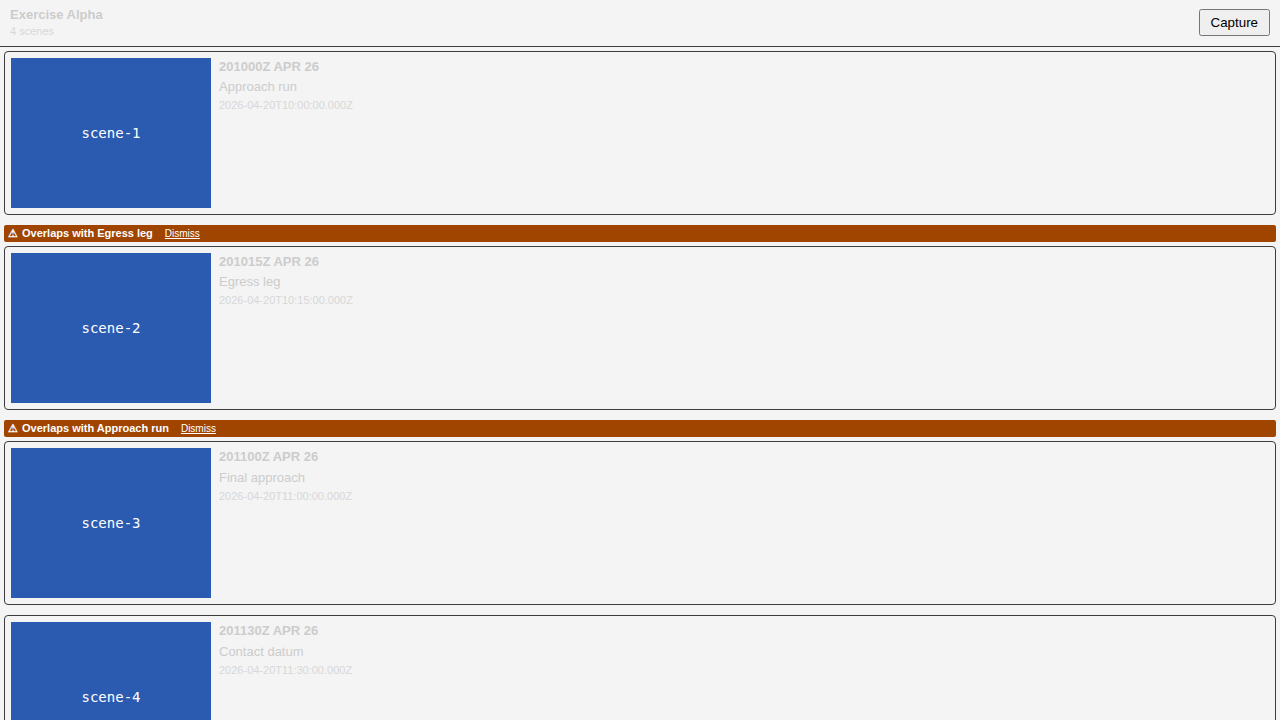 VS Code theme.
Clicking Dismiss on either badge clears the warning on both rows at once. Nothing in the plot changes — the Scene windows are untouched.
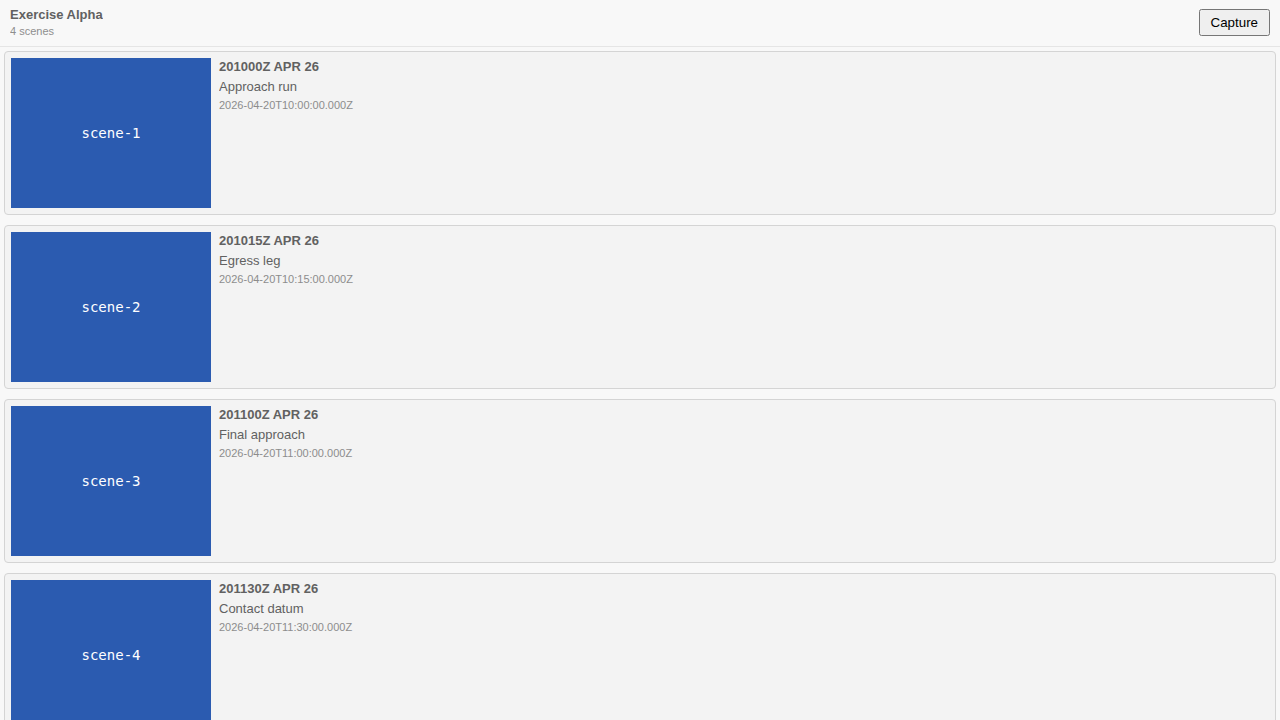 After dismiss — pair it with the light-theme shot above as a before/after. (A static pair stands in for an animated clip.)
By the Numbers
| Metric | Value |
|---|---|
| Feature tests passing | 28 |
| Detection-helper unit tests | 16 |
| Badge component tests | 4 |
| VS Code host tests | 4 |
| Storybook E2E tests | 4 |
| Theme variants | 3/3 |
| Full component suite | 2318 green, no regressions |
| Failures | 0 |
Lessons Learned
The crux of this was the overlap rule itself: strict interior overlap versus inclusive of touching endpoints. Getting it wrong — treating A.end === B.start as an overlap — would have warned on every normal sequential handoff, which is the most common arrangement in any well-formed Storyboard. The badge would have lit up everywhere and the signal would have drowned in its own noise. The single-character difference between < and <= was the whole feature working or being useless.
Two structural choices paid off quietly. Reusing the existing per-row stale-badge slot meant the warning dropped in with no new layout risk and inherited the accessible, contrast-safe theming that slot already had — which is why the three theme variants passed without separate colour work. And keeping detection as one shared pure function, rather than implementing the rule once in the VS Code panel and again in the web-shell, is what guarantees the two hosts can’t disagree about what counts as an overlap.
What’s Next
Dismissal is session-scoped today — re-open the plot in a new session and an intentional overlap warns again, which we chose deliberately. If analyst feedback shows people would rather their dismissals survived reloads, persisting them is the natural follow-up. Otherwise this closes the FR-SCO-003 gap deferred from #263, and there is nothing further owed here.