What We Built
When you save a plot now, the system captures the current map view as a PNG — basemap tiles, track overlays, labels — and writes two sizes into the STAC item directory: 800x600 for the preview pane and 200x150 for the list. The thumbnails land as standard STAC assets with "thumbnail" roles, so they’re not a Debrief-specific convention. Any STAC client knows what to do with them.
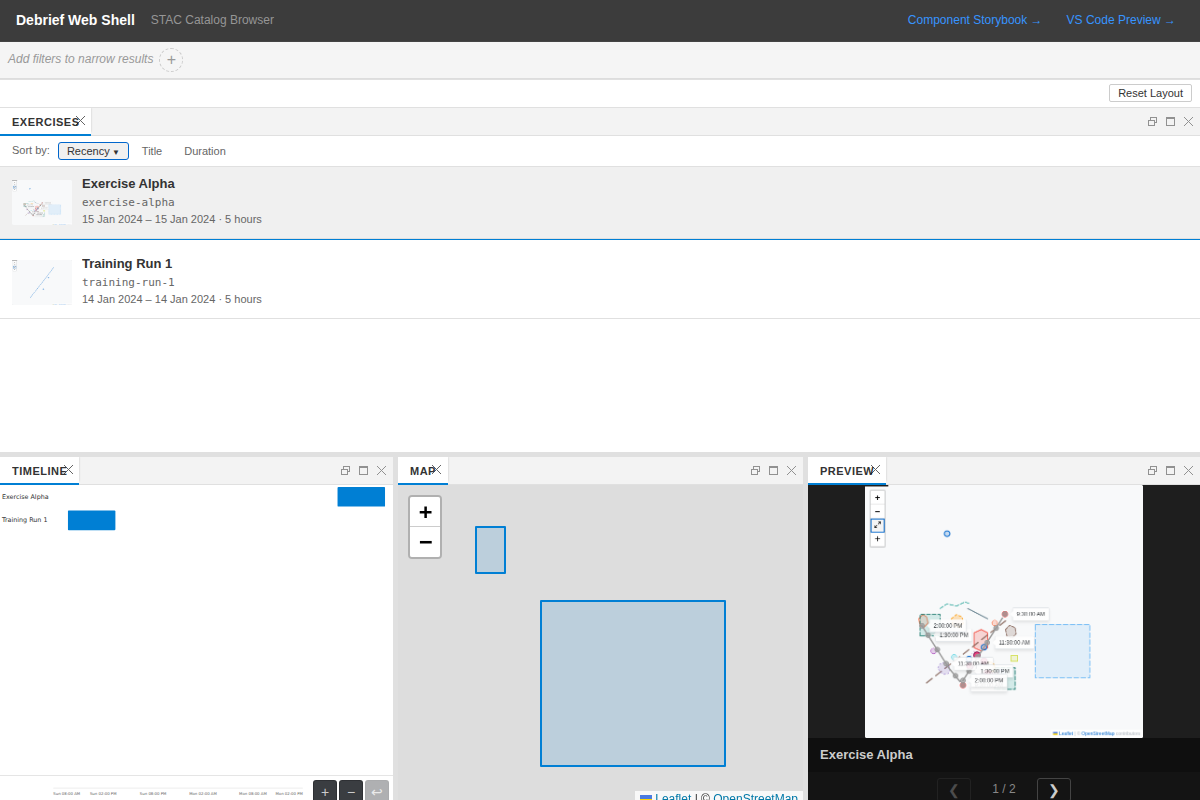
The catalog browser has an inline gallery preview. Click a plot in the list and the large thumbnail slots in beside it, with the metadata panel on the right. Click the next item and the preview updates immediately — no separate panel to manage, no opening individual plots just to scan a few. Single-click previews; double-click opens.

For existing plots created before this feature landed, a Playwright-based backfill script automates the web-shell to open each plot, fit the view to visible features, wait for tiles, and capture.
Across Themes
The catalog browser respects the host VS Code theme — light, dark, and high-contrast all carry through to the list, the highlighted-row treatment, and the splitter chrome.
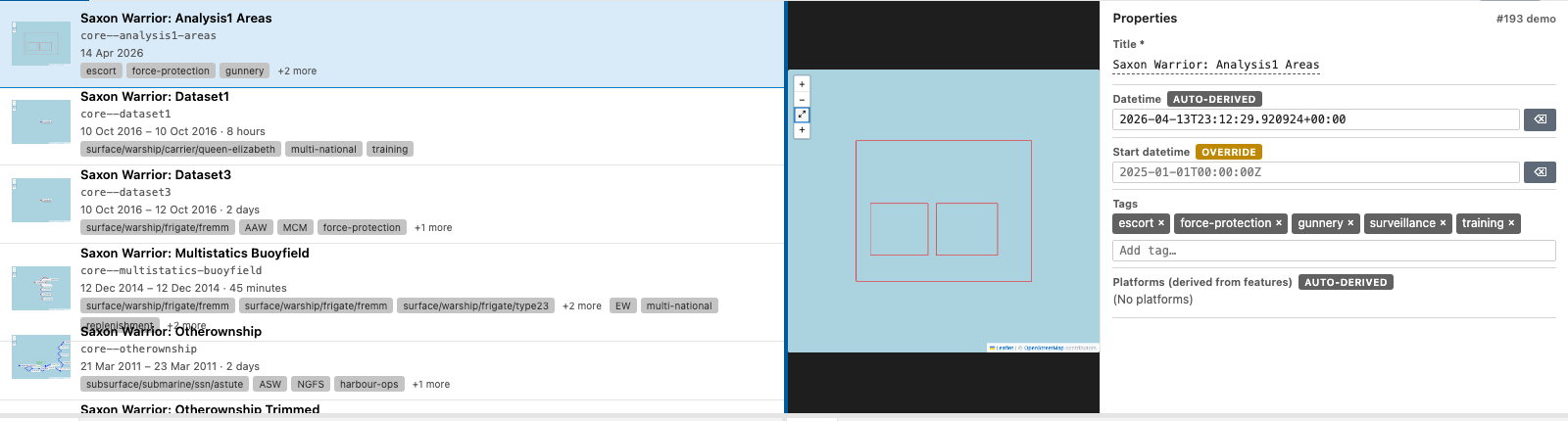
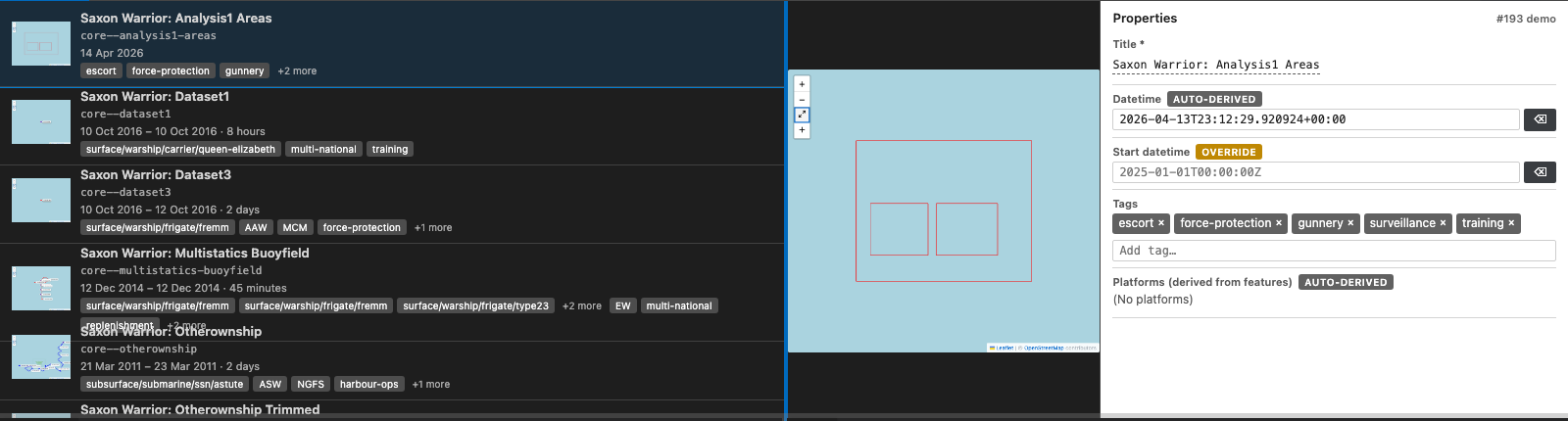
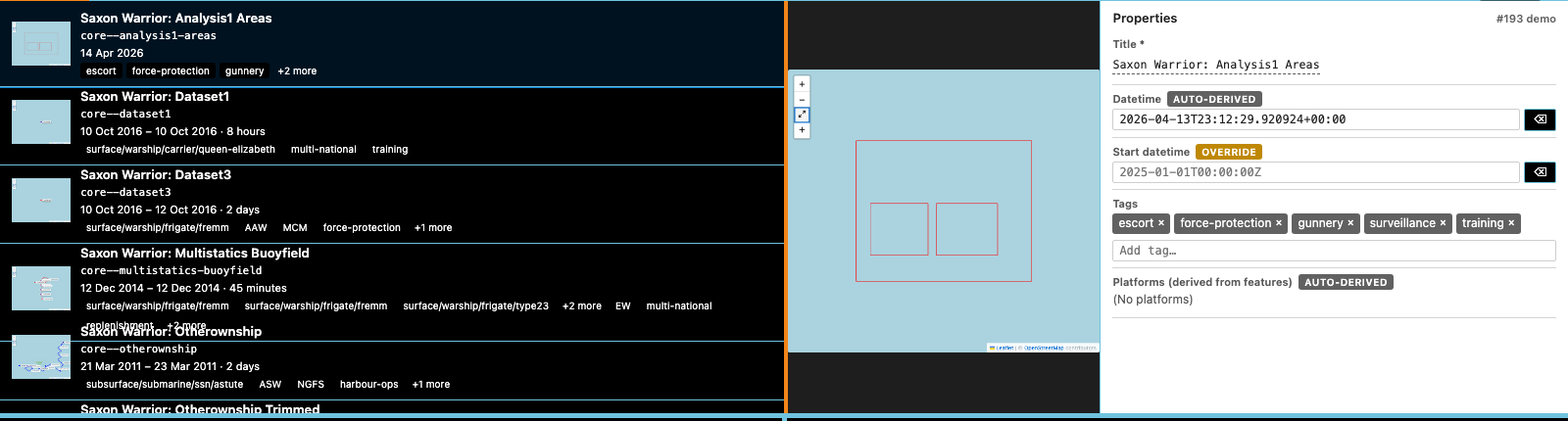
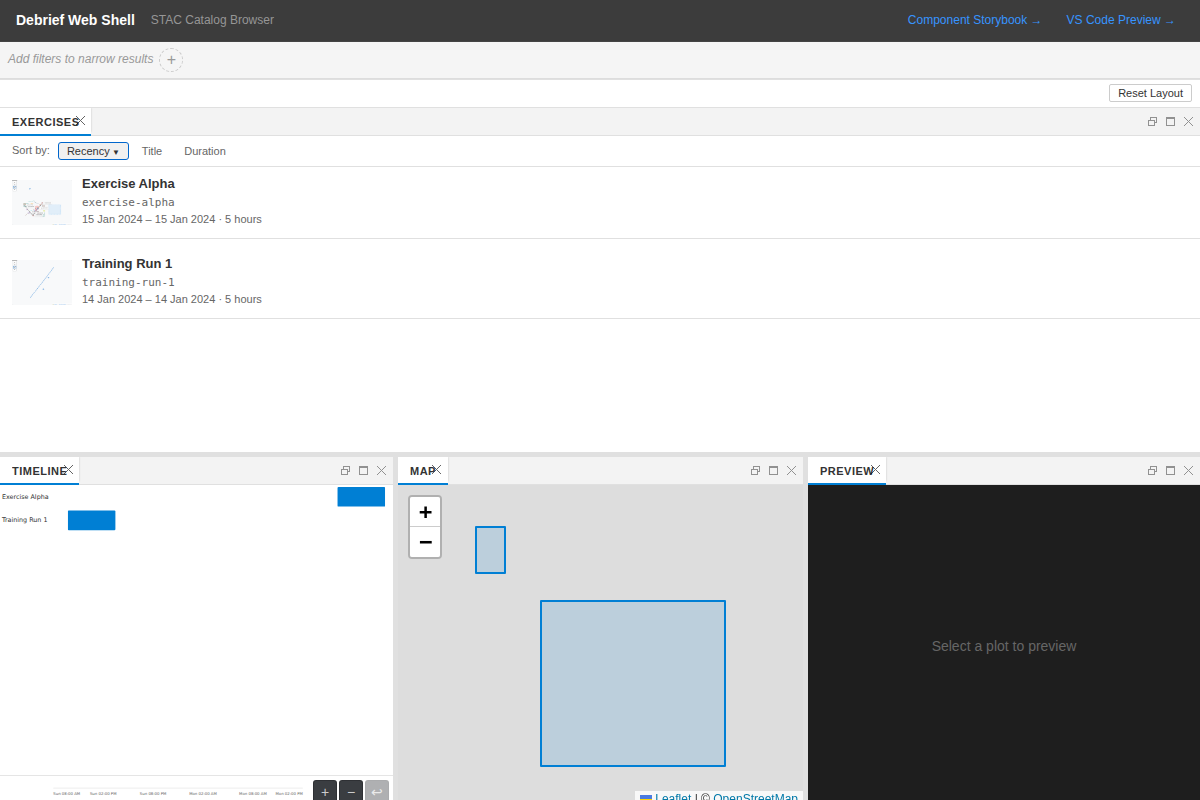
The list view now shows raster thumbnails inline where they exist. The SVG spatial thumbnails remain as the fallback — they render without any prior save — so the list never goes blank.
By the Numbers
| Unit tests passing | 37 |
| Tests failed | 0 |
| Python (pytest) suite | 1,282 passed |
| TypeScript (vitest) suite | 338 passed |
| E2E scenarios written | 5 |
| CI steps green | lint, typecheck, test |
Technical Notes
Capture uses modern-screenshot rather than leaflet-image. leaflet-image is unmaintained and has known problems with tile layers rendered on canvas. modern-screenshot handles the full DOM — including canvases — and gives consistent results across the basemap tile providers we use.
For save-time capture, downscaling happens in the webview using an offscreen canvas: no server round-trip, no dependency. For the backfill script, which runs in Node.js outside the browser context, we use sharp for high-quality resizing. Two contexts, two appropriate tools.
The Python side follows the existing store_artifact() pattern. The new store_thumbnail(item_dir, large_bytes, small_bytes) function writes both files and updates item.json with the two asset entries. It’s idempotent — re-running overwrites cleanly. The test that confirms this, test_overwrite_existing_thumbnails, was the one I was most pleased to see passing: it’s easy to accidentally leave a stale reference in the JSON when updating in place.
One deliberate decision: thumbnail assets carry no provenance links. They’re display artifacts, not analytical results. Adding derived_from links would pollute the provenance graph with noise. The test_no_derived_from_links test encodes this as a constraint so it doesn’t quietly get added later.
Capture is non-blocking by design. The 5-second timeout means a slow tile load during save doesn’t hold up the analyst. If capture fails, the save completes, a warning is logged, and the backfill script can fill the gap later.
Retro-capture: the demo catalog
The save-time capture path only helps plots saved after the feature landed. The demo STAC catalog at preview/workspace/samples/local-store/ shipped long before, so all 73 sample plots had no thumbnails — the very gap the backfill script was built to close. Under T036a we ran a one-off retro-capture against the committed catalog and committed the generated PNGs plus the updated item.json asset entries back into the repo.
Result: 73 of 73 plots now ship with both thumbnail sizes. Every first-run demo — whether on Heroku Review Apps or a fresh clone — opens to a populated gallery rather than a sea of SVG fallbacks.
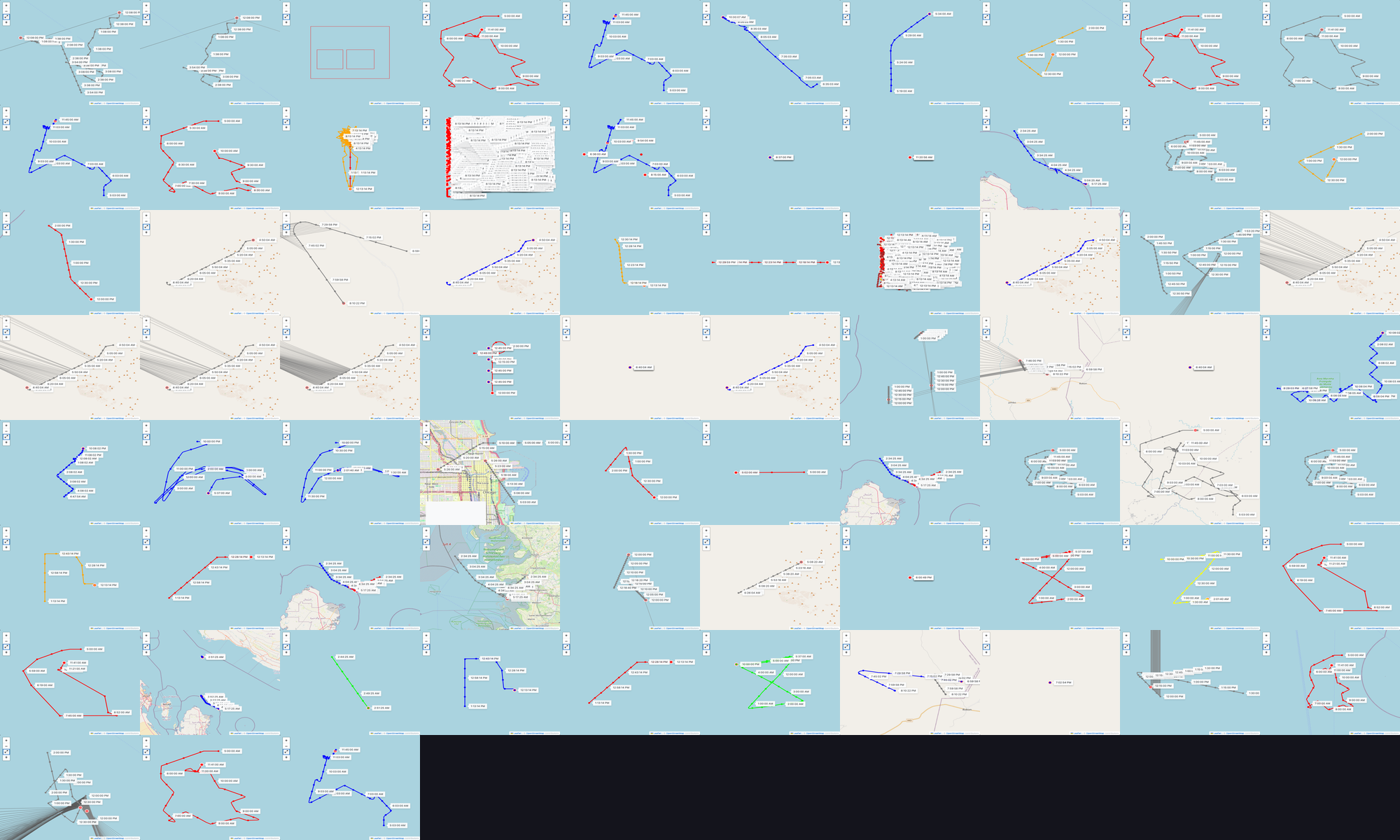
The count check — plots with thumbnail.png / total plots = 73/73, and the same for thumbnail-sm.png and both asset entries — is recorded at evidence/retro-capture-count.md. It satisfies SC-007 (100% coverage) and FR-014 (one-off bulk-commit of the generated artefacts).
What’s Next
The backfill script hasn’t been exercised against a full production-sized catalog yet; performance at scale is still an open question.
The thumbnail staleness question from the planning post remains open. Right now, saving overwrites. We’re watching whether analysts actually notice or care about stale previews before adding any staleness indicator.
The ThumbnailPreview chrome itself uses a --co-* token convention that isn’t yet bound by ThemeProvider — the surrounding panel re-themes correctly but the thumbnail surround stays dark across all variants. Tracked as a follow-up; doesn’t affect the captured thumbnail content.